🟢 Phase 1: Lab Setup
A controlled lab environment was created with Kali Linux as attacker and Windows as target.
ip a
ipconfig
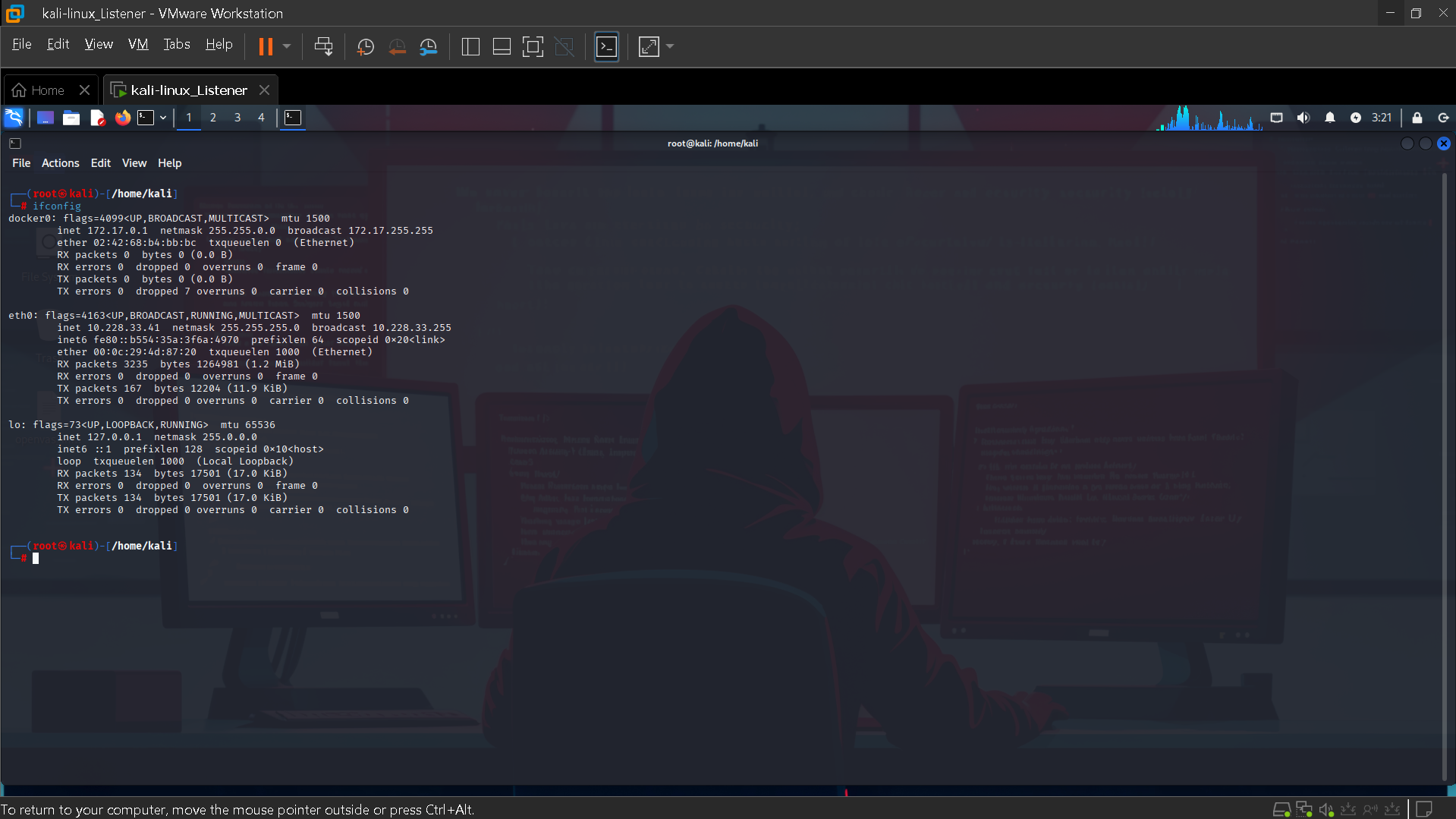
Figure 1: Kali Linux IP Configuration
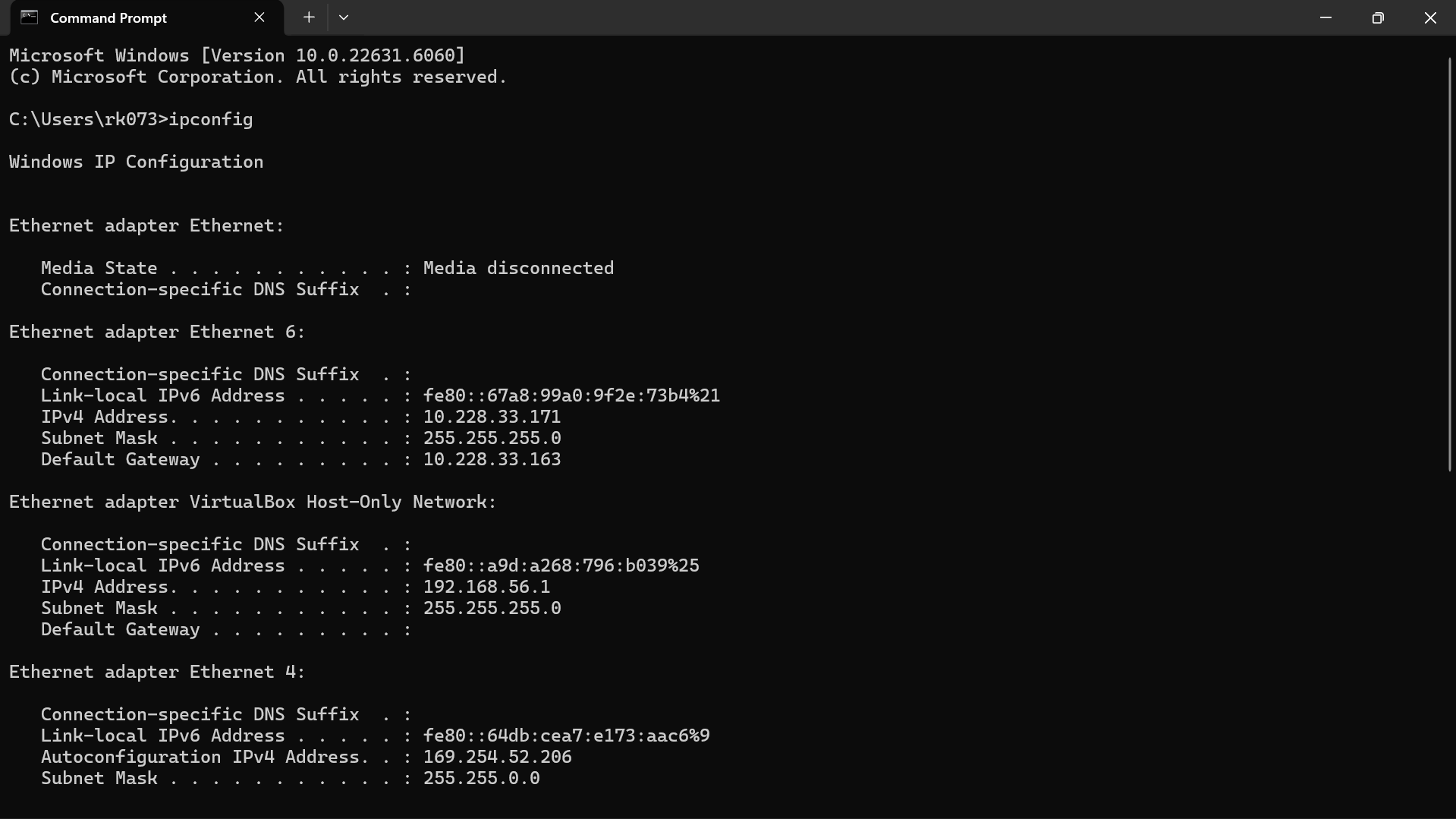
Figure 2: Windows IP Configuration
Real SOC Incident Report & Response Project
Detection Time
Failed Attempts
Compromise
Severity
This project demonstrates a complete SOC workflow including attack simulation, detection, investigation, and response. A brute force attack was launched from Kali Linux targeting a Windows system via RDP. Splunk SIEM was used for monitoring and detection. The project highlights how real SOC analysts identify suspicious patterns, analyze logs, and take action to mitigate threats. This reflects real-world enterprise-level incident handling and security monitoring practices.
This project demonstrates how early detection of brute force attacks prevents unauthorized access, protects sensitive data, and ensures business continuity.
RDP brute force attacks are commonly used by attackers to gain initial access in enterprise environments. These attacks are frequently linked to ransomware campaigns and credential stuffing attempts.
Detection: Identified multiple failed logins using Event ID 4625 indicating brute force activity.
Triage: Verified attack source IP, checked account validity, and confirmed no successful login.
Investigation: Reviewed Event IDs 4624, 4672, and 4688 to check for compromise.
Containment: Blocked attacker IP, disabled account, enforced lockout policy.
Eradication: Removed any suspicious access and reset credentials.
Recovery: Re-enabled account securely and monitored activity.
Prevention: Enabled MFA, restricted RDP, and enforced strong password policy.
A controlled lab environment was created with Kali Linux as attacker and Windows as target.
ip a ipconfig
Figure 1: Kali Linux IP Configuration
Figure 2: Windows IP Configuration
net user NewUser1 Password123 /add
net localgroup "Remote Desktop Users" NewUser1 /add
SystemPropertiesRemote
netsh advfirewall firewall set rule group="remote desktop" new enable=Yes
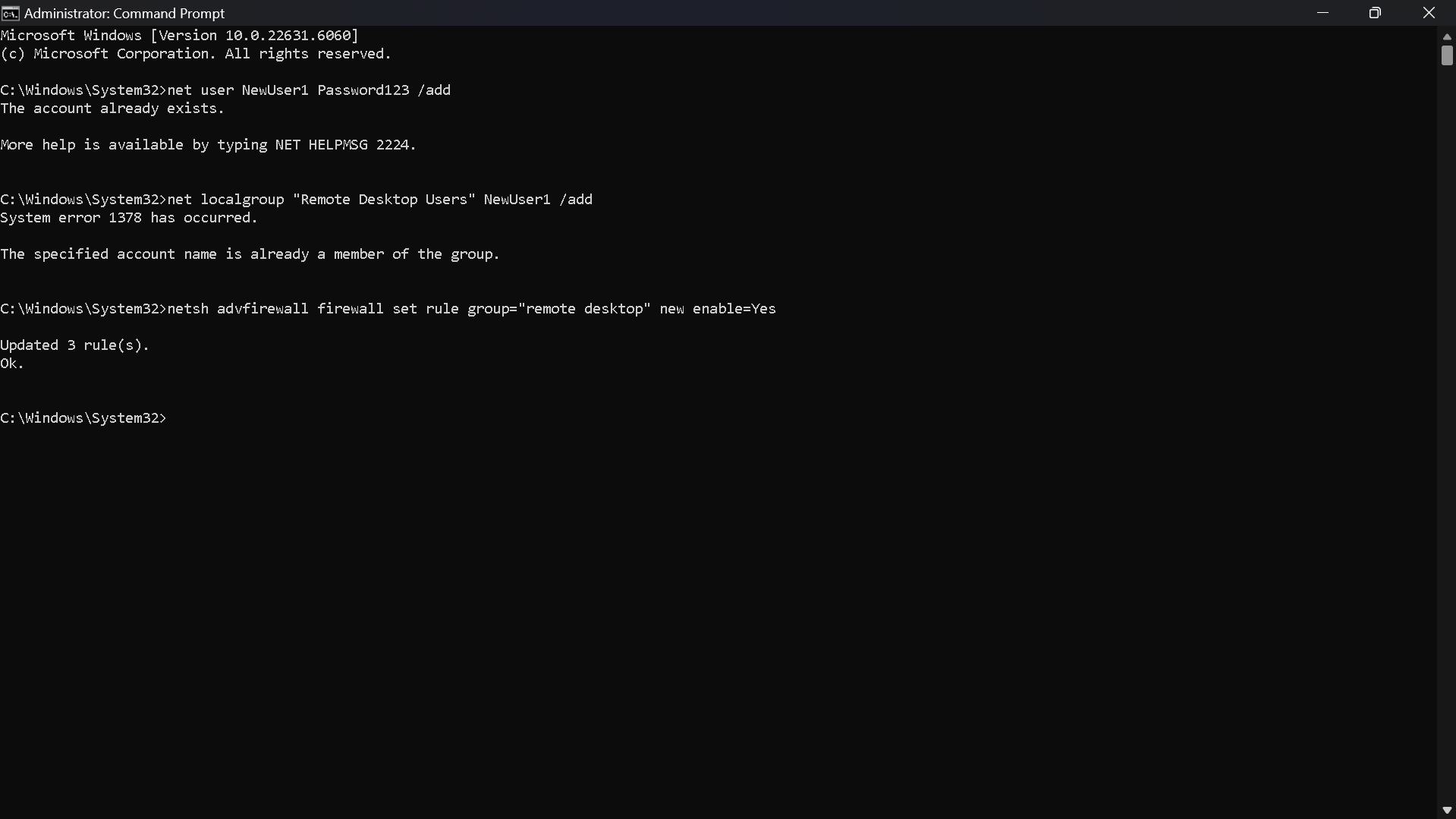
Figure 3: System Configuration
xfreerdp3 /v:10.228.33.171 /u:NewUser1 /p:WrongPass123
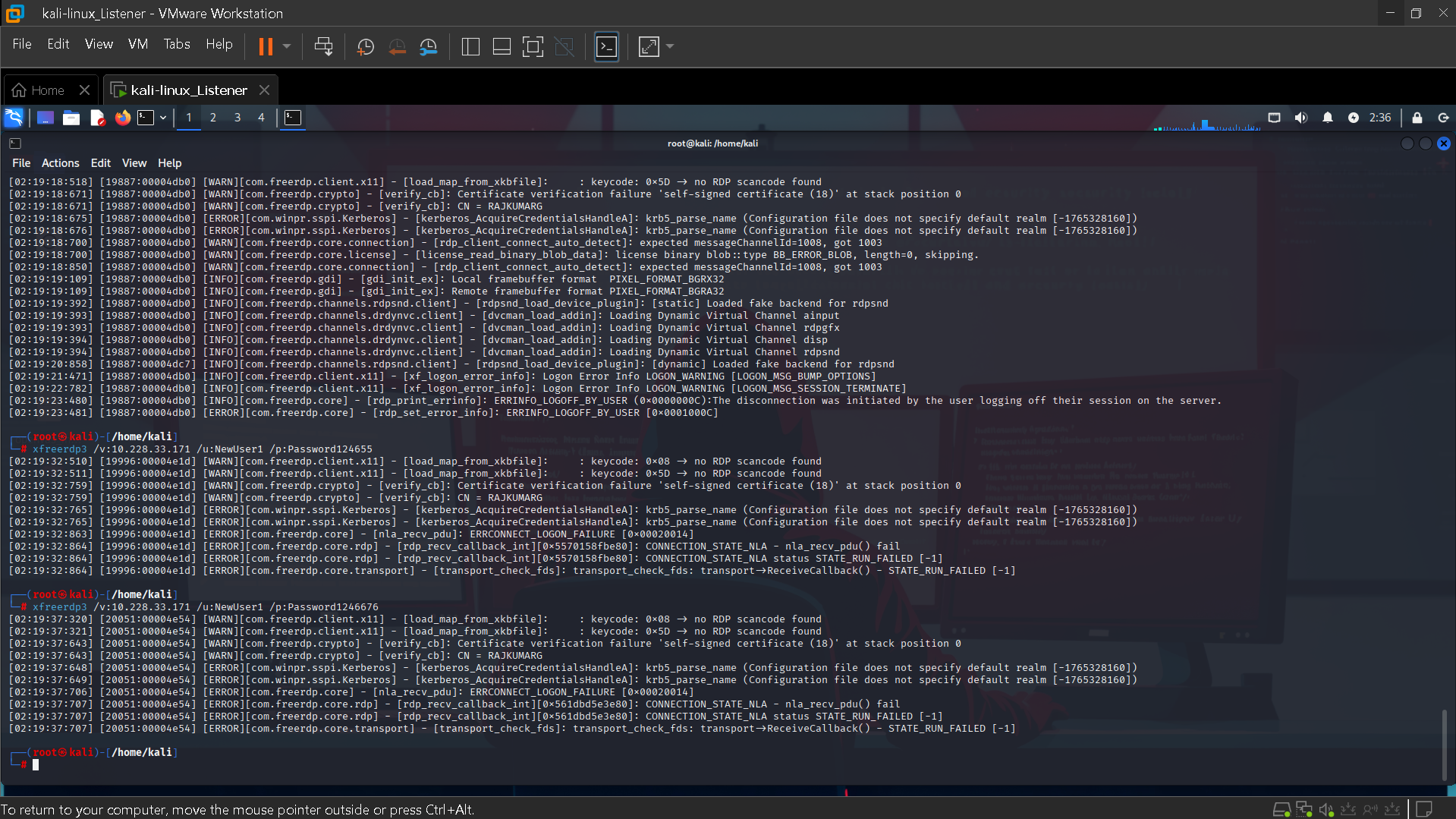
Figure 4: Brute Force Attack Execution
index=* EventCode=4625
| stats count by Account_Name, Source_Network_Address
This query identifies failed login attempts and groups them by user and source IP to detect abnormal patterns.
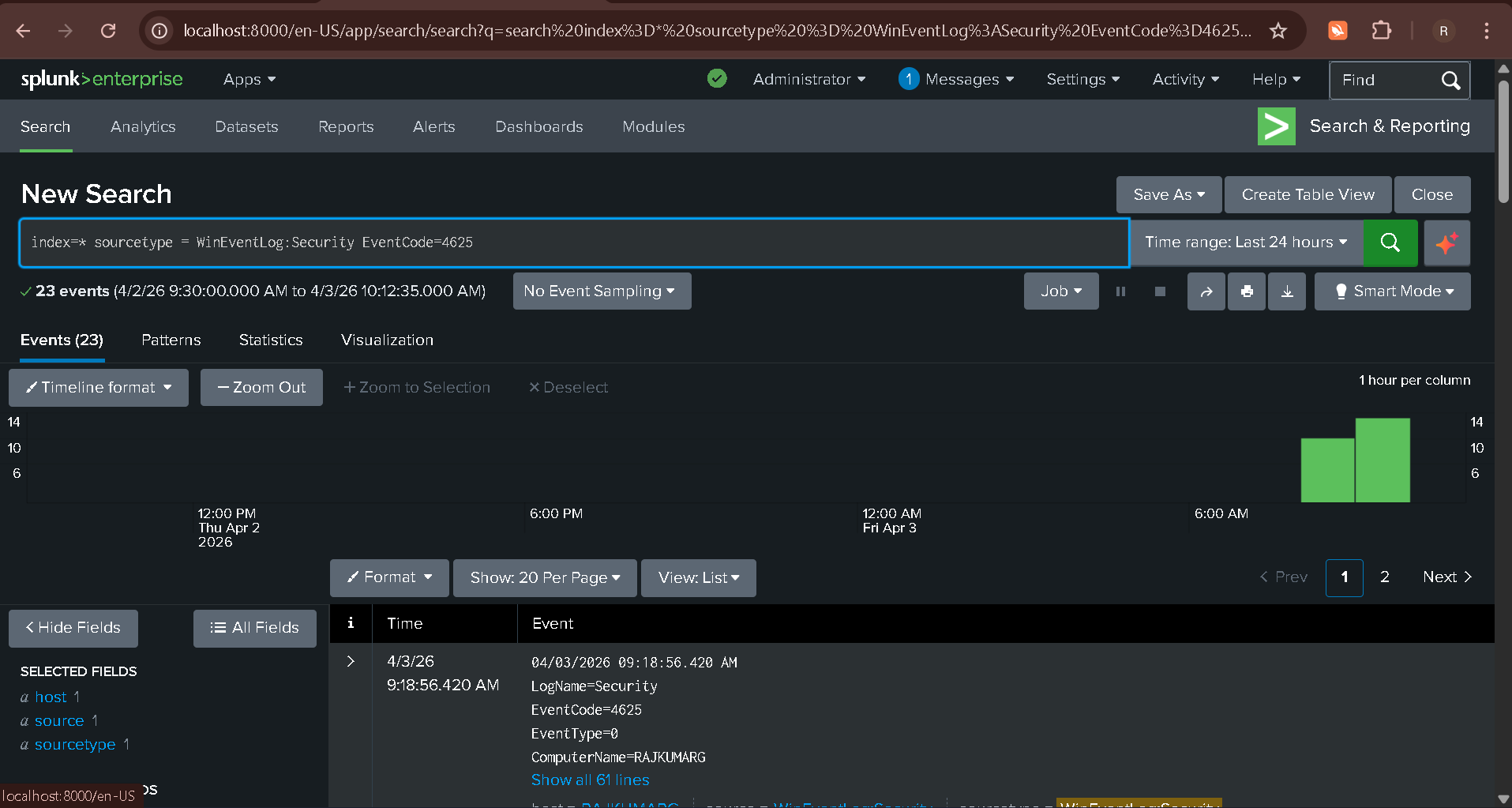
Figure 5: Splunk Detection Logs
Analysis revealed multiple failed login attempts from a single IP within a short time. No successful login was observed, confirming an unsuccessful attack attempt.
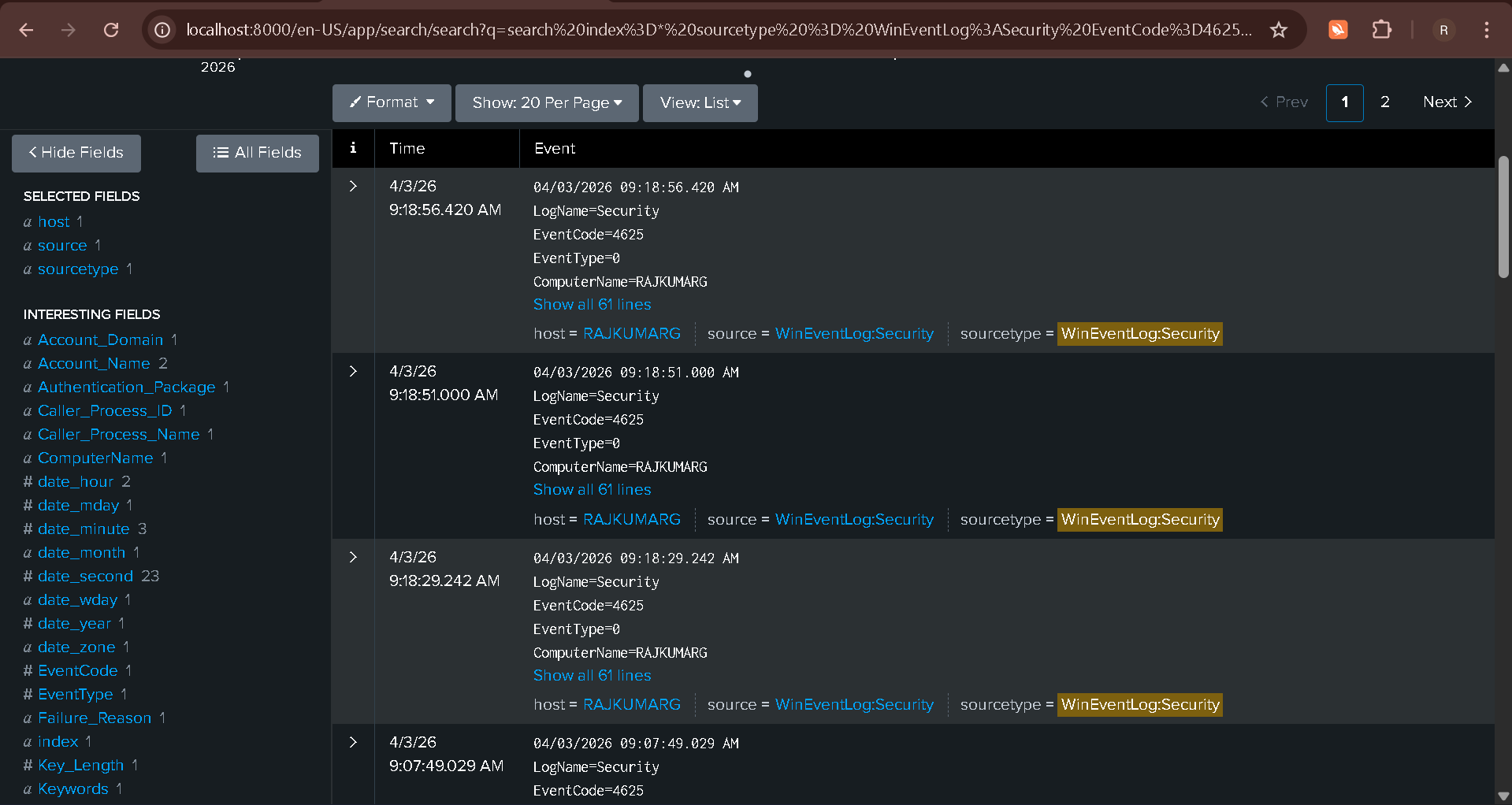
Figure 6: Log Analysis
index=* EventCode=4740
The system triggered an account lockout, preventing further unauthorized access.
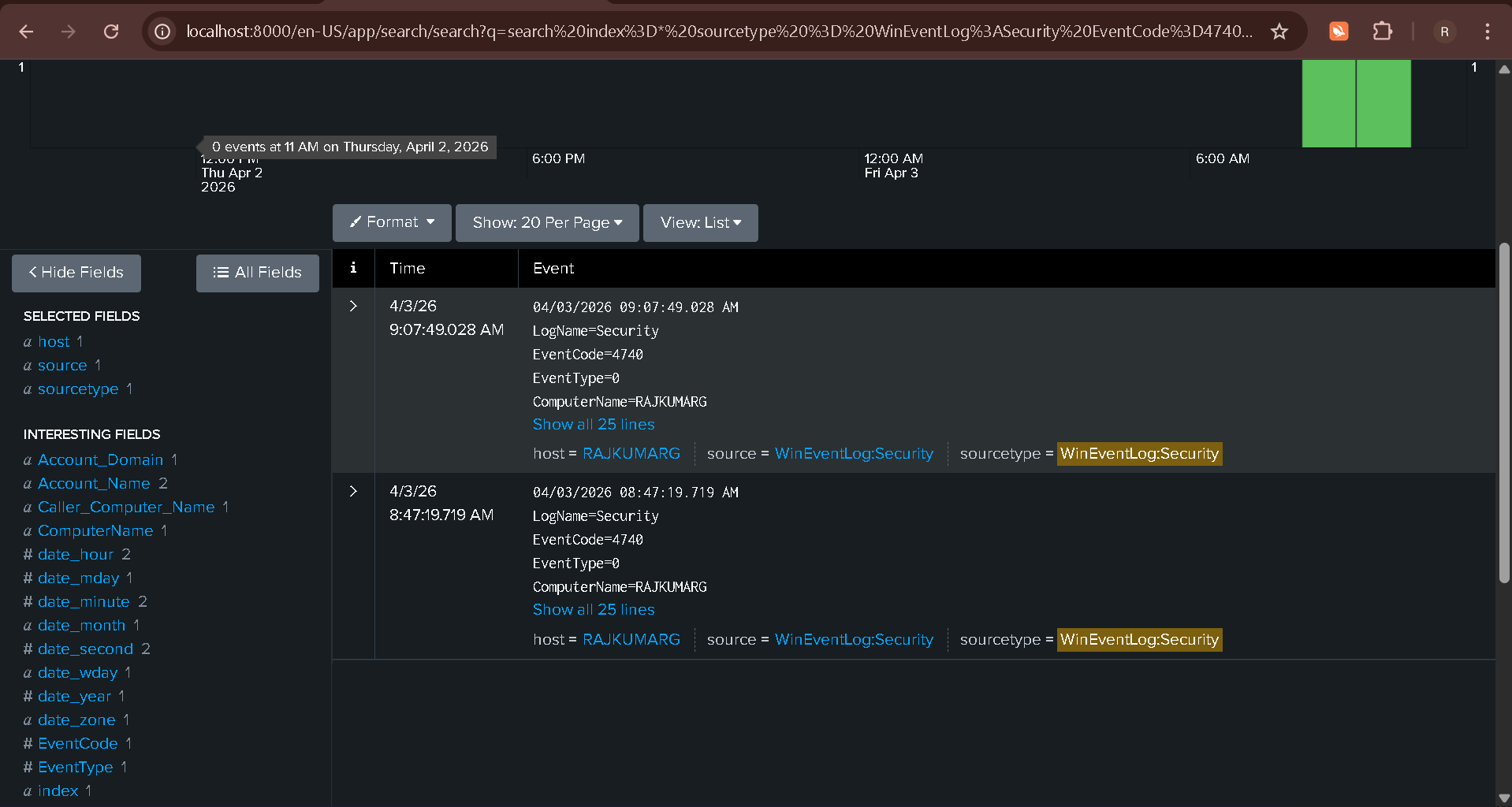
Figure 7: Account Lockout Event
Alert triggered when failed login attempts exceed threshold (e.g., 10 attempts within 1 minute).
Severity: High
Confidence: High
Technique: T1110 - Brute Force
10:01 - Initial login attempt
10:02 - Multiple failed attempts detected
10:04 - High frequency login failures
10:05 - Account lockout triggered
Incident: RDP Brute Force Attack
Source IP: 10.228.33.41
Target: NewUser1
Detection: Event ID 4625
Impact: Account lockout
MITRE: T1110
Conclusion: Detected and prevented unauthorized access, ensuring system security and reducing risk of account compromise.